

The iPhone app
Your Actovia on the phone — chat, settings and approvals, all through your computer.
Actovia for iPhone is a remote for the desktop app. It keeps no chats of its own: every message goes to your computer, runs there with your keys and tools, and streams back. A chat started on the phone is on the computer too, and the other way round.
Pairing
The first time you open the app it offers Scan pairing code and Paste pairing link. On the computer, open Settings → Integrations → Devices → Pair a device and scan the QR code. The phone needs a passcode, and the connection is unlocked with Face ID. At home it connects over your network; away, over Tailscale. How pairing works and how to unpair are on Remote access.


A phone can be paired with more than one computer — a Mac mini at home and a laptop, say. Settings → Computer lists them: tap one to switch, swipe to unpair, Pair another computer to add one.
Chat
A slide-out drawer (swipe from the left edge) holds Recents and search; the chat beside it works as on the desktop — streaming answers with the thinking timeline, citations and sources, tool cards (weather, maps, images, artifacts, files, Computer Use, Deep Research), questionnaires and confirmations, regenerate and compare, and the memory lines under an answer. Approval cards can be answered from the phone.
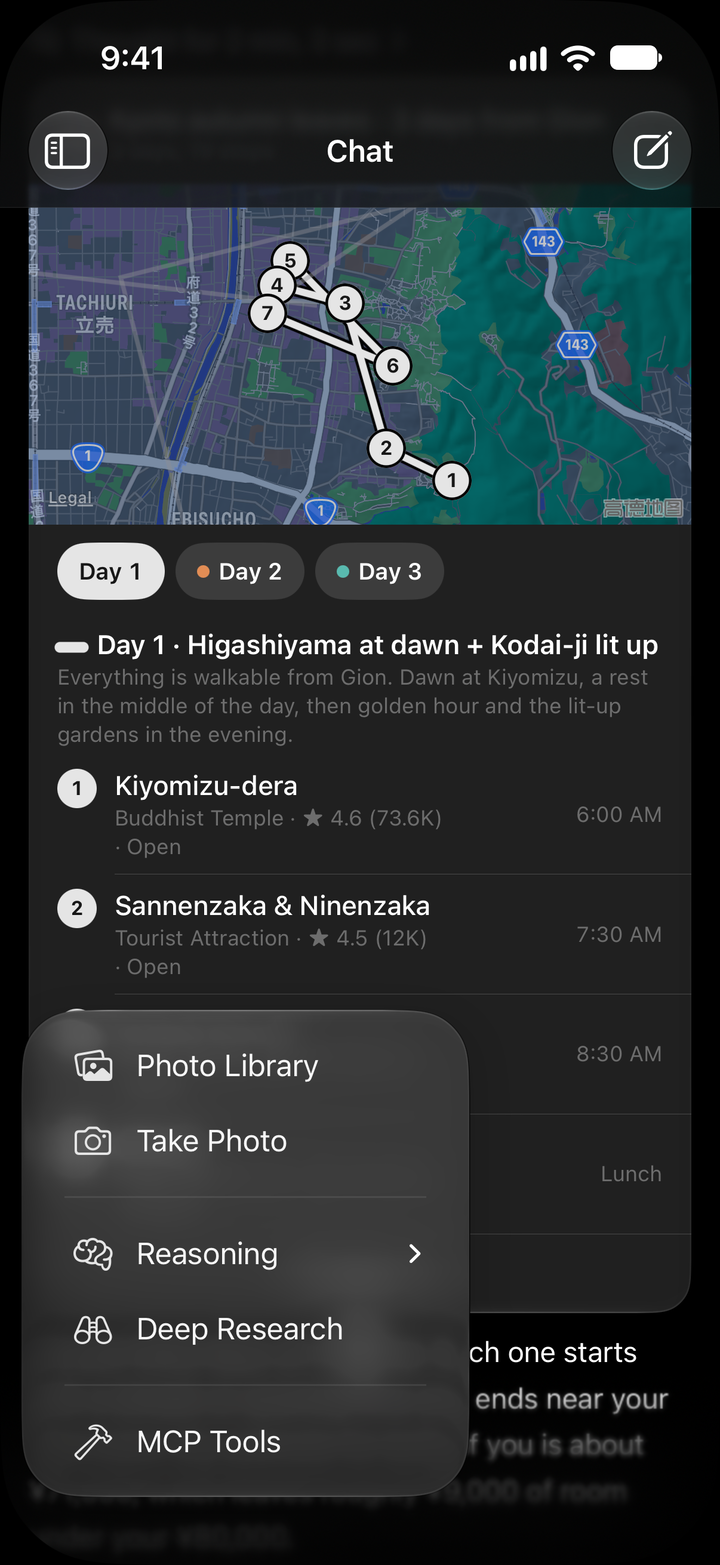
The + in the composer adds pictures from the Photo Library or Take Photo (up to ten), sets Reasoning, switches on Deep Research, and lists the MCP Tools your computer offers. The microphone records a voice message and transcribes it into the field.


Settings
The phone edits the computer's settings directly, grouped as on the desktop: Color tone; Connection and Computer; AI Providers, Built-in Tools, skills and MCP Servers; Personality and Memory; Profile and Backups. Saved keys show as masks here too.


Locks
- The phone's own lock: after a while in the background the app asks for Face ID before it reconnects — Actovia is locked → Unlock.
- The computer's app lock: while the computer is locked, a paired phone can unlock it with its own Face ID.
Languages
The app follows your iPhone's language: English, Traditional Chinese (Taiwan and Hong Kong), Japanese, Korean, French, German, Spanish, Brazilian Portuguese and Italian.
The iPhone app also has Health and widgets, which the desktop does not.